Product Design · Generative AI · UX/UI
Making creative AI easier to navigate.
Pandorra.ai brings image, video, audio and other AI-creation capabilities into one product. My contribution focuses on the interface patterns and journeys that help users find tools, make choices and create with less friction.
- Client / product
- Pandorra.ai
- Role
- Product Designer / UX/UI Designer (freelance collaboration)
- Status
- Ongoing
- Platform
- Web application
- Collaboration
- Product, design and development teams
- Scope
- Selected product and interface design work; not sole ownership of the entire product
01 / Product design
Pandorra.ai
AI creative platform
01 / The context
Powerful capabilities create complicated choices.
A multi-tool AI platform multiplies entry points, creation modes, settings and result types. People need to know what a tool does, which workflow to choose and what to expect after acting. I read the experience as a sequence of decisions:
The sequence of decisions
- Discover a tool
- Understand its requirements
- Create
- Review the output
- Decide what to do next
02 / The live product
One entry point for many tools.
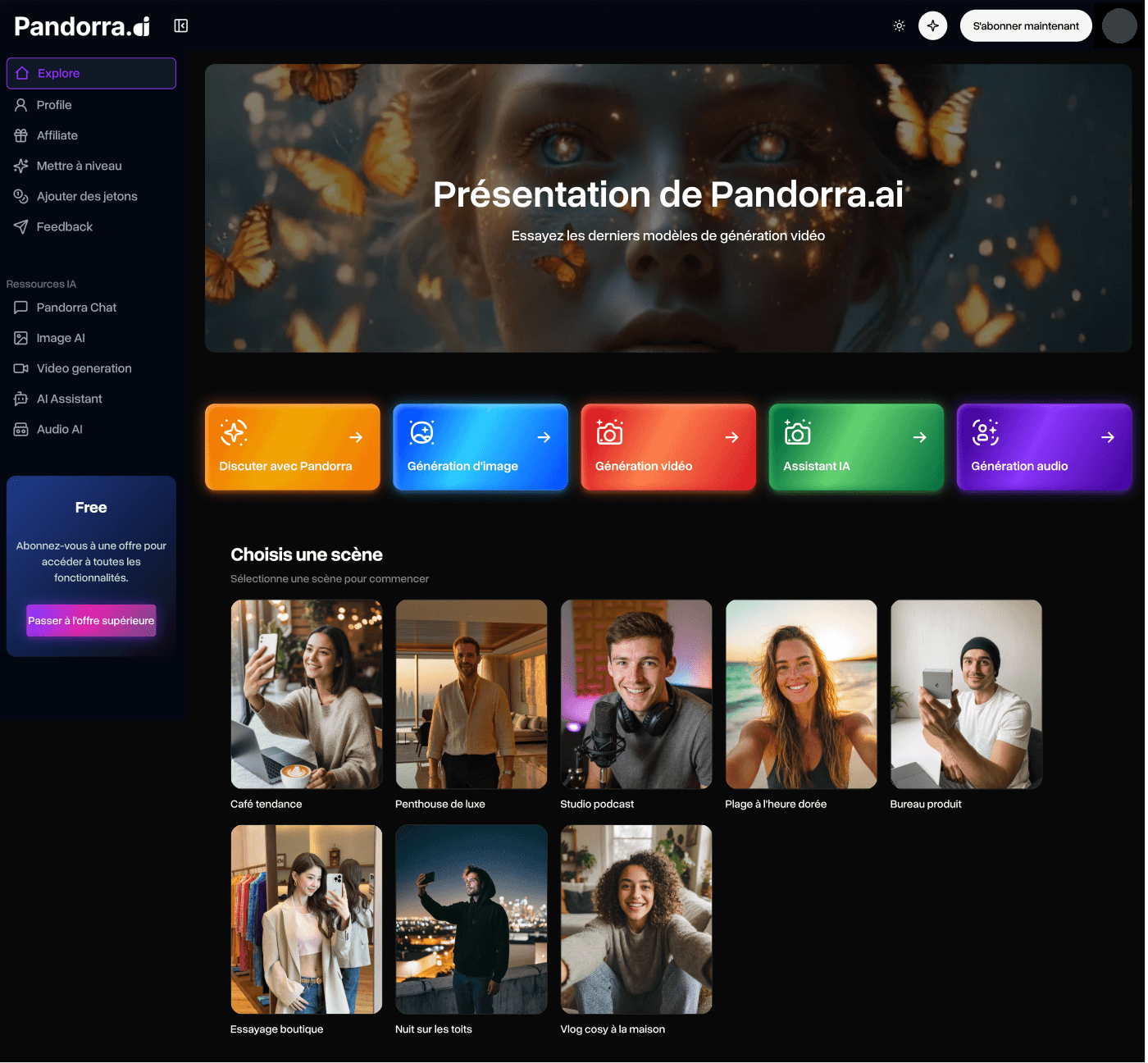
Pandorra.ai is live and keeps evolving: the interface at pandorra.ai is the reference, and every screen on this page carries its date. In August 2026, Explore presented the creation tools side by side: a sidebar for tools and account actions, a featured banner, the tool entries and a gallery of scene presets.
03 / The design question
How might we make the next useful action obvious?
Nobody should have to guess whether a button starts a free trial, a generation, an example or a download. Clear labels, working feedback and predictable transitions matter as much as the layout.
04 / Review and decisions
Four observations, four decisions.
A review of the Explore screen as it was live in August 2026 recorded where the interface was unclear. Each observation is tied to a marker on that capture and to the decision it led to; all four are recommendations, still to be checked against today’s interface.
- Navigation between toolsOn mobile, some destinations of this sidebar were unreachable without a collapsed menu.
- Tool entries and their actionsEach card starts a different workflow; the review asked for consistent states, hints and actions.
- Mixed-language labelsA French interface where the AI resources keep English names.
- Calls to action“Créer gratuitement” promised free access instead of naming the action; upgrade prompts sit next to the tools.
Calls to action
- Problem
- “Créer gratuitement” promised free access instead of naming the action; “Voir des exemples” did nothing.
- Design decision
- Action-led labels: “Commencer à créer”.
- Visual evidence
- Marker 4.
- Outcome · status
- Recommendation, August 2026 review · to check against today’s interface.
Navigation at small widths
- Problem
- Some sidebar destinations were unreachable on mobile.
- UX principle
- Recognition rather than recall (opens in a new tab) · Nielsen Norman GroupThe recommendation follows this principle: destinations stay visible, not remembered.
- Design decision
- A compact menu with the same destinations as desktop.
- Visual evidence
- Marker 1.
- Outcome · status
- Recommendation, August 2026 review · to check against today’s interface.
After generation
- Problem
- No preview without download; failed generations had no removal action.
- UX principle
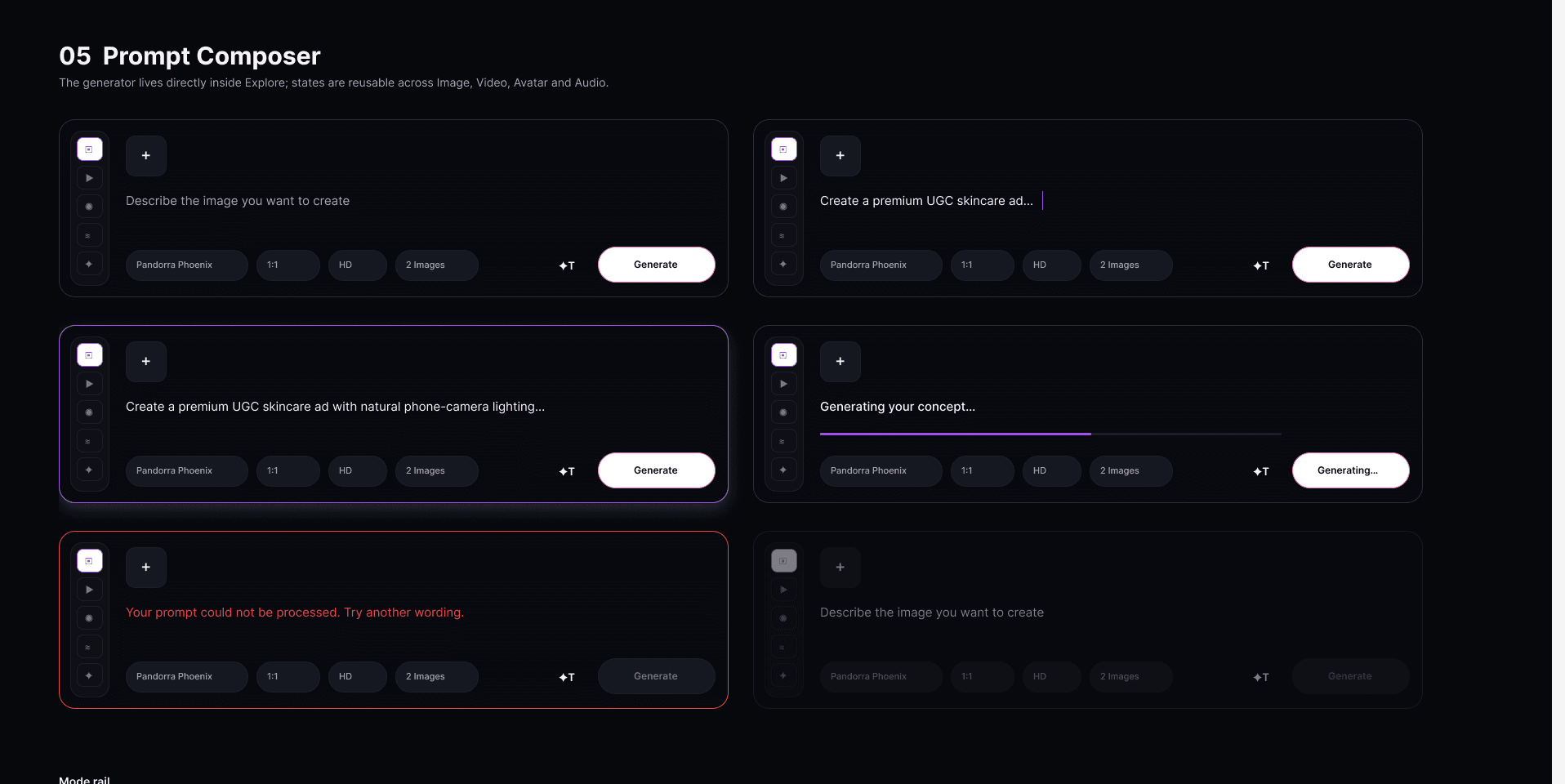
- Visibility of system status (opens in a new tab) · Nielsen Norman GroupThe composer states are the feedback the generator owes: what it is doing, what happened.
- Design decision
- Preview before download, a readable state, a removal action for failures; the composer states are documented in the design system.
- Visual evidence
- Marker 2 · prompt composer, section 05.
- Outcome · status
- Recommendation, August 2026 review · states documented in the design system v1.0 · to check against today’s interface.
Language and consistency
- Problem
- A French interface with English names on the AI resources.
- UX principle
- Consistency and standards (opens in a new tab) · Nielsen Norman GroupThe recommendation follows this principle: one action, one word, across tools and languages.
- Design decision
- One language per interface.
- Visual evidence
- Marker 3.
- Outcome · status
- Recommendation, August 2026 review · to check against today’s interface.
05 / A system for a multi-tool product
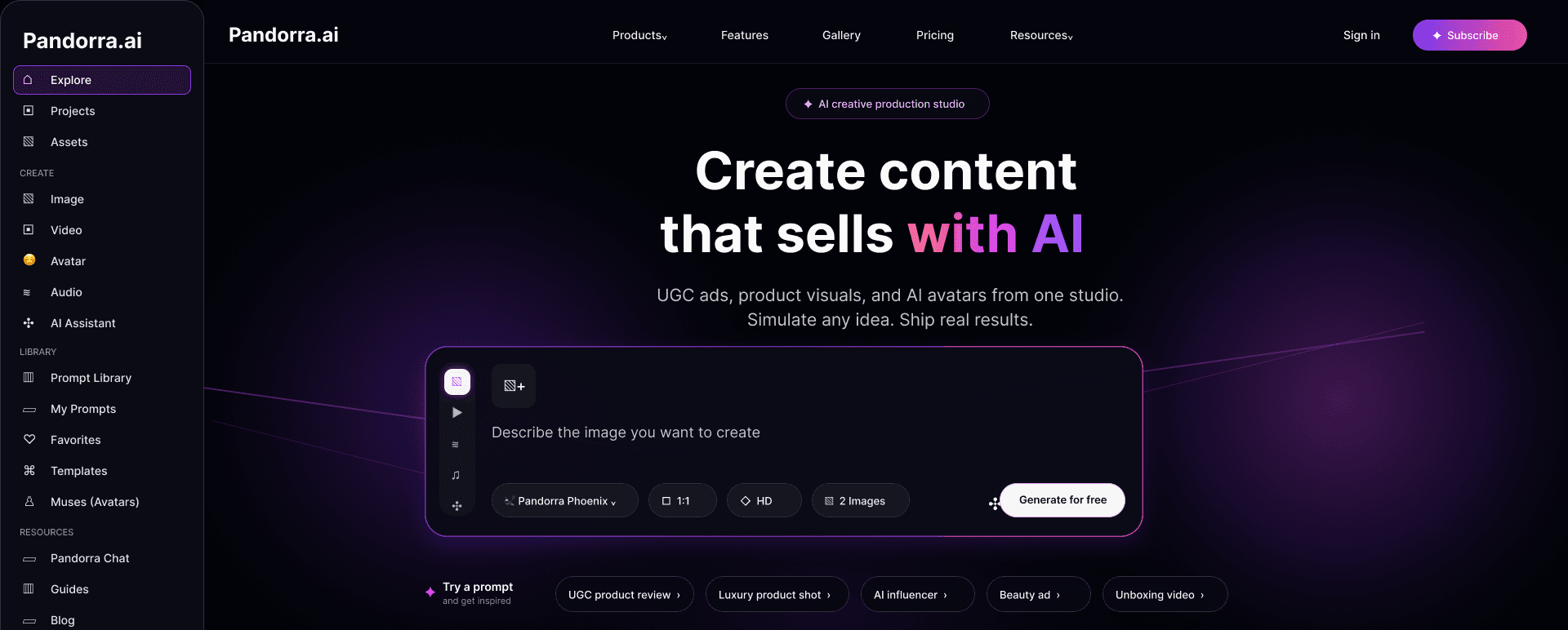
One system, many tools.
The design system documents the foundations, buttons, navigation, inputs, the prompt composer and the feedback states behind the Explore work, drawn in 2026 after the August capture. Design-file documentation: not the live interface, not a measure of adoption.
06 / Onboarding and the first creation
From welcome to the first image in three steps.
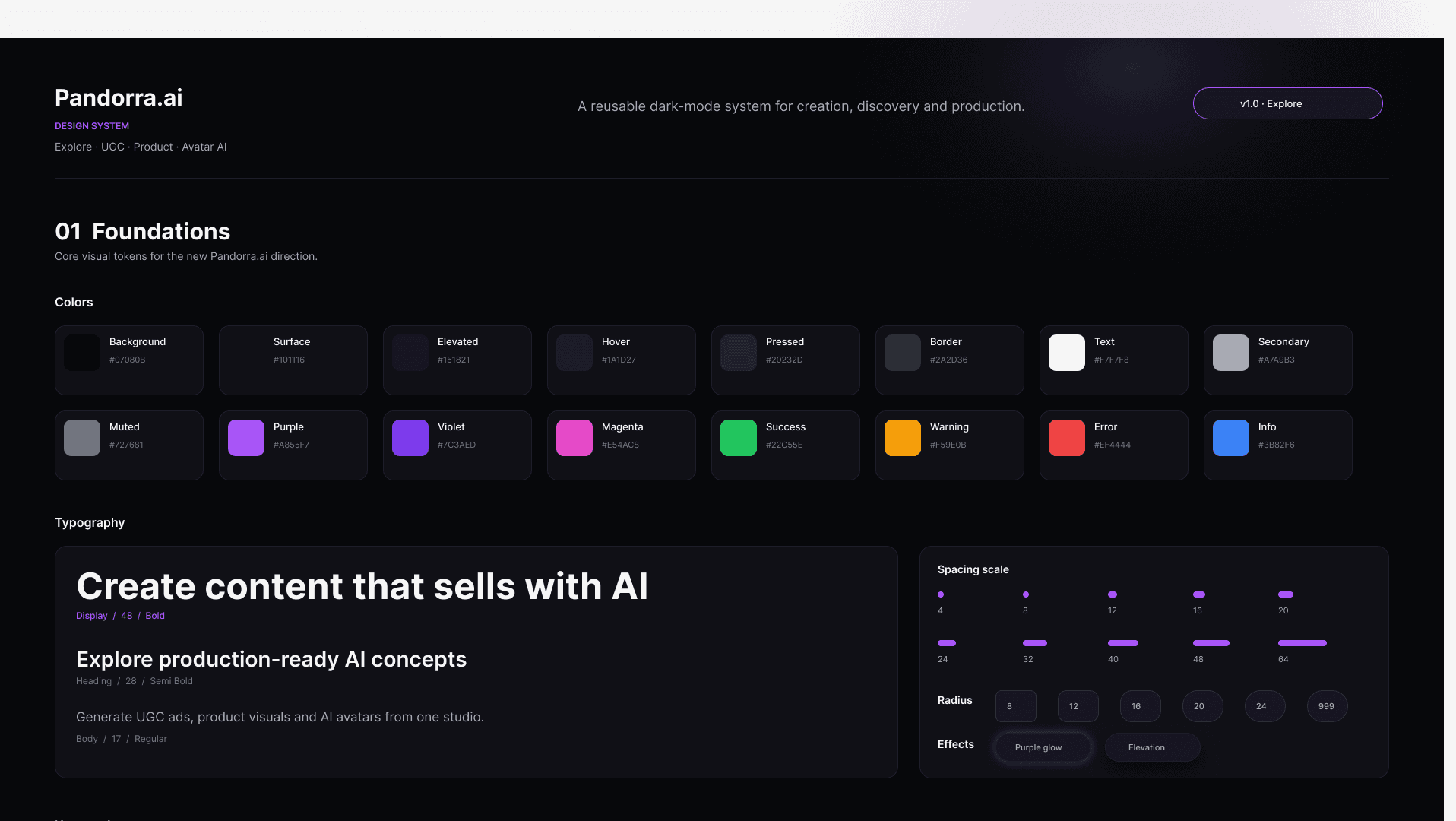
A freemium onboarding explored in 2026, in versions v1 to v1.3 (v1.3 follows the July 2026 specification): welcome, intended use, first image, result, plan. Design proposals with developer notes, not confirmed live.
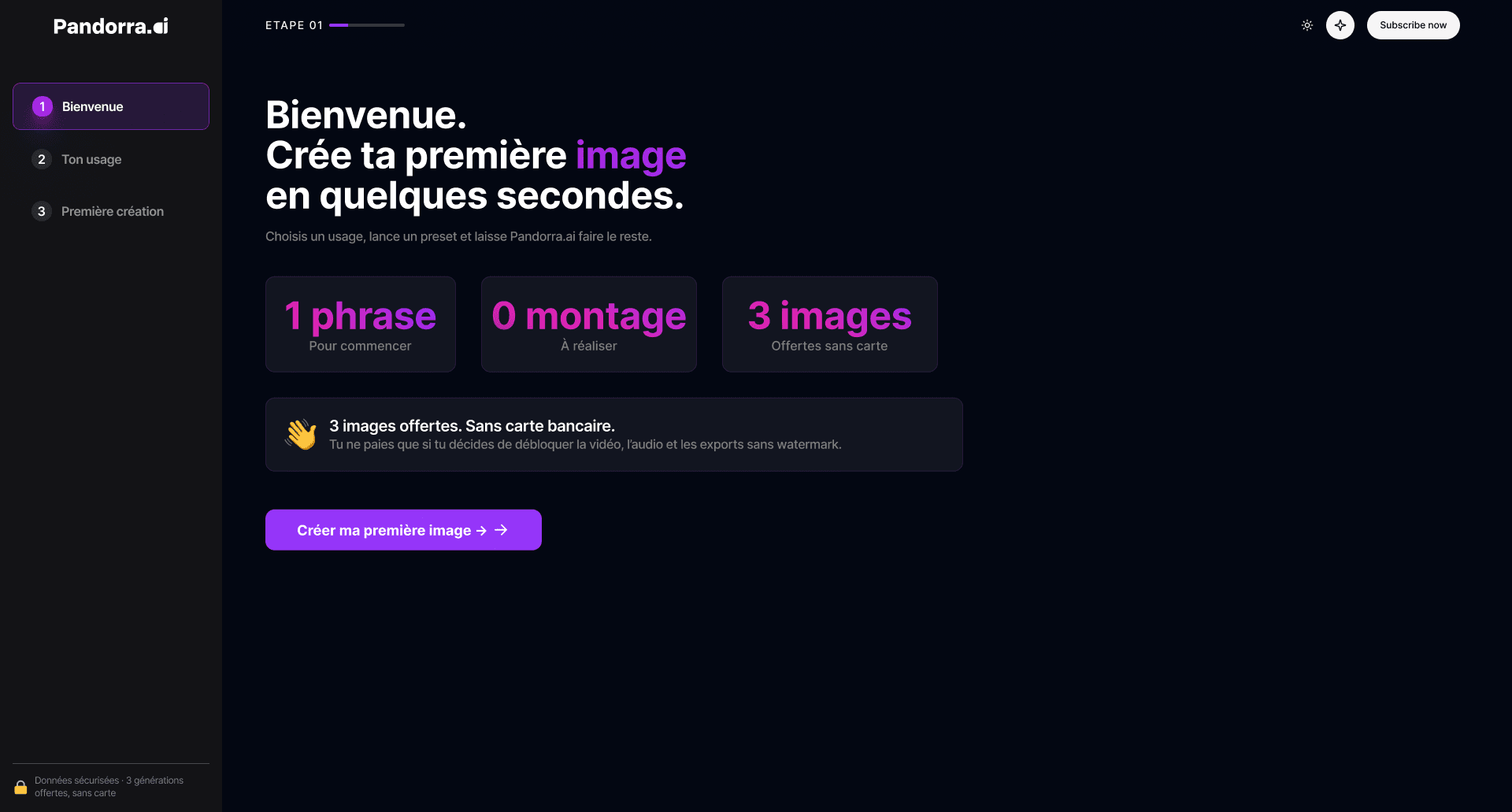
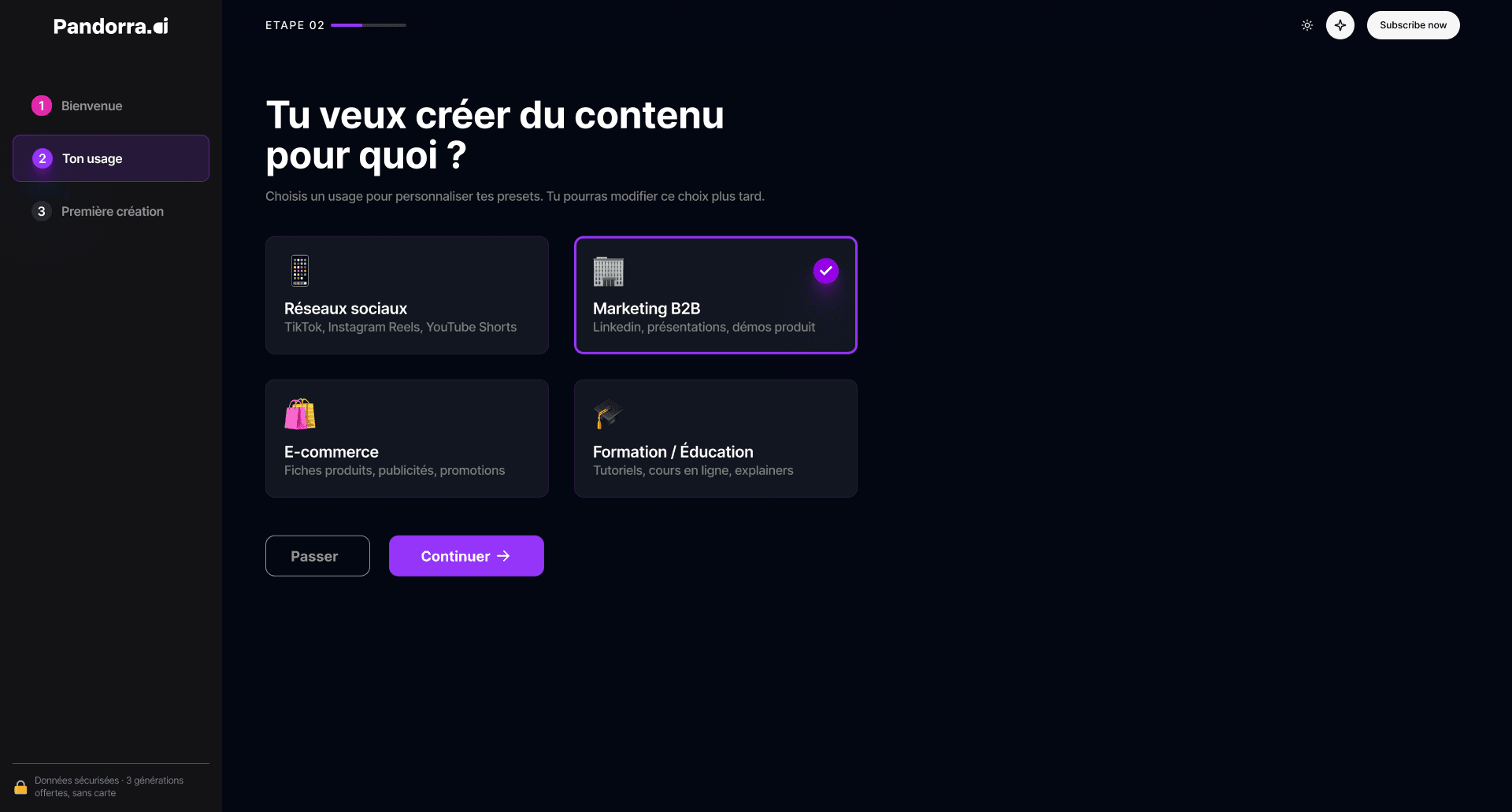
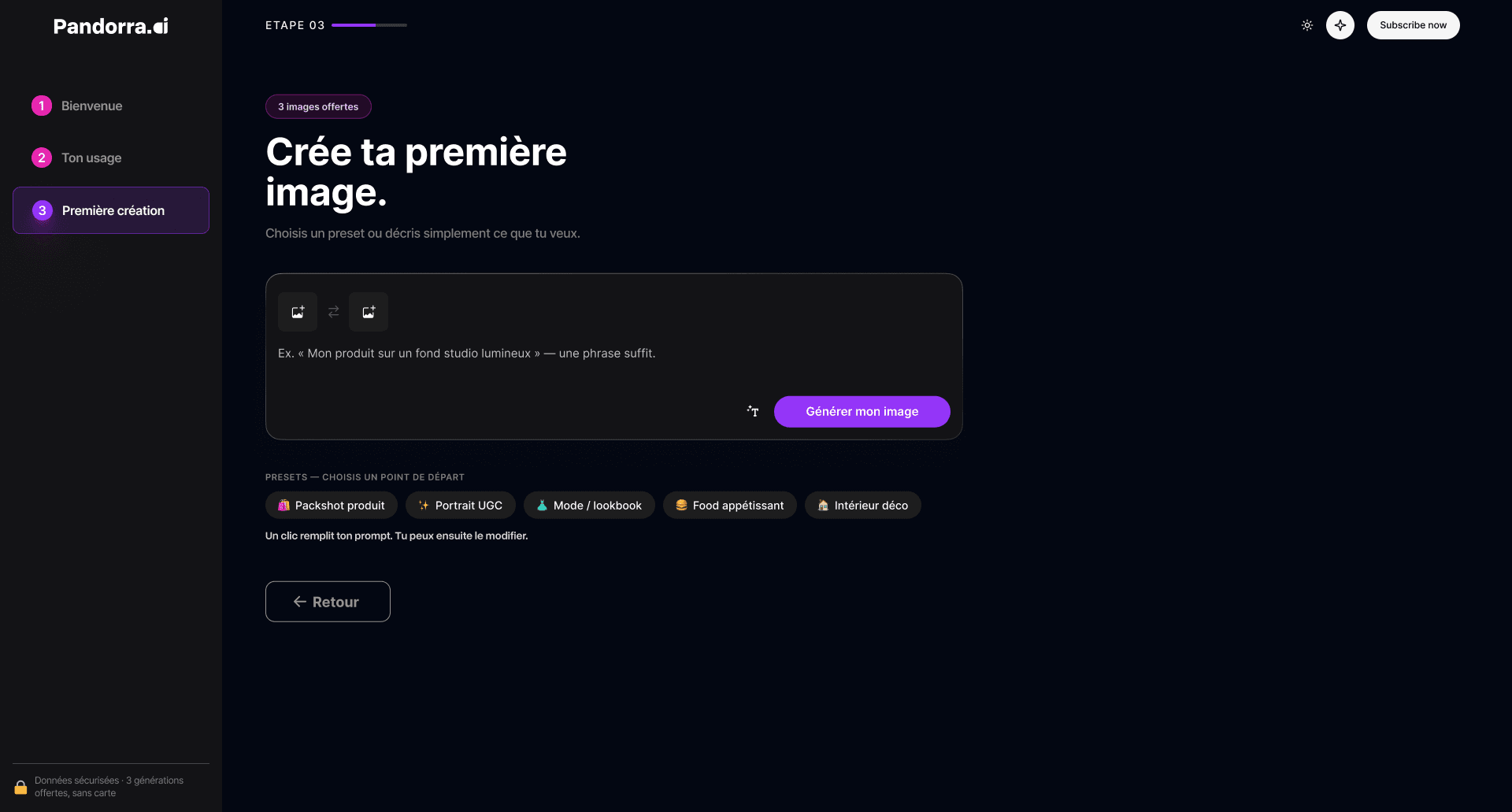
Design proposals from the design file, 2026 · not confirmed in production · no usage data.
07
Collaboration.
I work at the intersection of product thinking, visual design and technical feasibility, within a wider team; development, product and growth results belong to that team. The changes visible in the live product are the work of the team as a whole and are not all mine.
08
Outcome and evidence.
Status
09
What I learned.
Designing an AI product is not about exposing more features; it is about making the system’s behaviour understandable: which action is available, what it does, what state the product is in, what comes next.